TeraBox
TeraBox gets free 1TB secure cloud storage

Safe & Secure
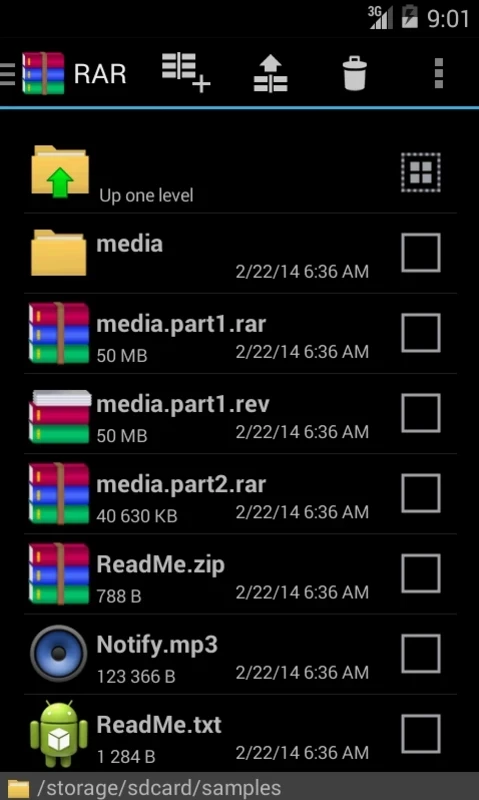
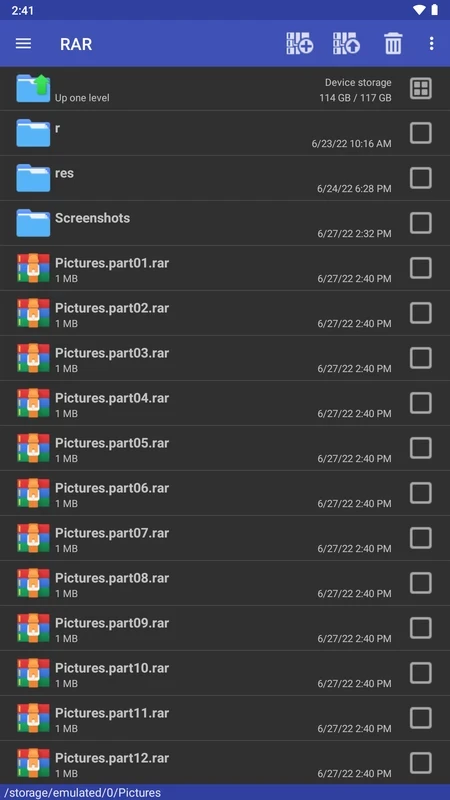
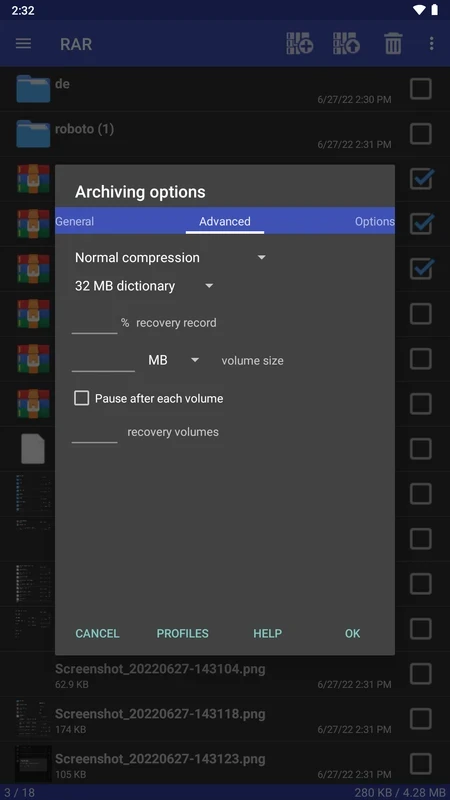


RAR is a comprehensive file compressor for Android devices that is used for opening, creating, and decompressing files. It is free and simple to use, that offers all-in-one solution to manage your device storage while compressing large files with support for two major formats, including ZIP and RAR. You can reliably create an archive, backup, and so on.
It offers multiple innovative features with a fully configurable options menu and support for a huge collection of file formats. However, it requires a little bit of tech-savvy skills, so you can easily follow the instructions to configure the settings, and manage the compressing as well as the decompressing process.
RAR is a powerful file compression and decompression tool, developed by a Russian engineer named Eugene Roshal. It is one of the oldest digital applications, as it was introduced in the early 1990s. At the start, it only helped to break down the large files into small pieces within a specific number, so they can easily be rearranged.
Currently, it has become an essential part of managing files on all types of digital devices, such as Android, Windows, iOS, Linux, macOS, ChromeOS, etc. The versatility of the app allows users to handle large files, such as opening, creating, compressing, and decompressing as well.
The app offers support for multiple file formats to make your decompression process quick and smooth. Major supported formats are RAR, ZIP, TAR, GZ, BZ2, XZ, 7z, ISO, ARJ, and so on. It is possible to view your content in any of the aforementioned formats, extract documents, and work while opening them directly to the documents inside.
It is one of the core features, as it helps to fix damaged ZIP and RAR files, in case of encountering corrupted files. It proves to be the best solution for recovering important data. However, the repairing process can be complex, and may not give results according to your preferences. The compatibility to benchmark provided by RARLAB’s WinRAR offers a benchmark function that helps to test the performance while operating the decompression tasks.
Security is a major deal while handling your crucial files, and you are capable of encrypting your compressed files and avoiding unwanted access to the files in question. In this way, no one can guess the name or type of content available in the file. In addition, the integration with antivirus software helps users to scan files to check their integrity of files, before they start downloading the decompressed files.
The app helps to enhance compression speed while using CPU cores, and makes your compression process quick and efficient. It helps users who have to handle large files or batch files on a professional level. The reliable file management tool with support for various file types proves the best solution with an efficient performance contribution.
The app helps to manage the compressed files on a high level, as it offers a quick and smooth compression and decompression process for the files that you have downloaded from the internet. You can create your own RAR files right from your device. It allows you to compress any type of content, including photos, documents, videos, and so on.
While extracting and compressing, the app also offers seamless file management functionality and enables users to operate various important file tasks such as copy, delete, move, rename, and so on. You can create new folders and organize your data easily. It also allows installing your favorite applications using APK packages, and helps to manage compressed files as well as installed applications while using a comprehensive tool.
The straightforward design with a clean and intuitive interface offers quick navigation across files and archives. You will find a few buttons and tools for finding and selecting your required files. And the high-contrast schemes with dark and light themes make the text prominent for the ease of users. The efficient workflow supports both file compression to store and extracting files for use.
RAR offers awesome unzip functionality with support of ZIP and ZIPX files that utilize BZIP2, LZMA, PPMd, and XZ methods to be compressing. The extended compatibility for huge compression algorithms allows users to extract files and also use password-protected ZIP files for extraction, giving an extra layer of security for your sensitive data. In addition, the support for multipart archives helps users to extract files divided into multiple parts. In this way, you can manage your large files and reliably download and share them.
Pros
Cons

TeraBox gets free 1TB secure cloud storage

MediaFire offers up to 50GB of storage with shareable links and automatic backups.

ZArchiver compresses, previews, and manages password-protected archived content

MEGA, a free cloud storage with secure syncing across mobile devices

Google One offers intuitive management for expanding cloud storage and automatic cloud backup.